

Playluck Registration: How to Open an Account
Table of contents
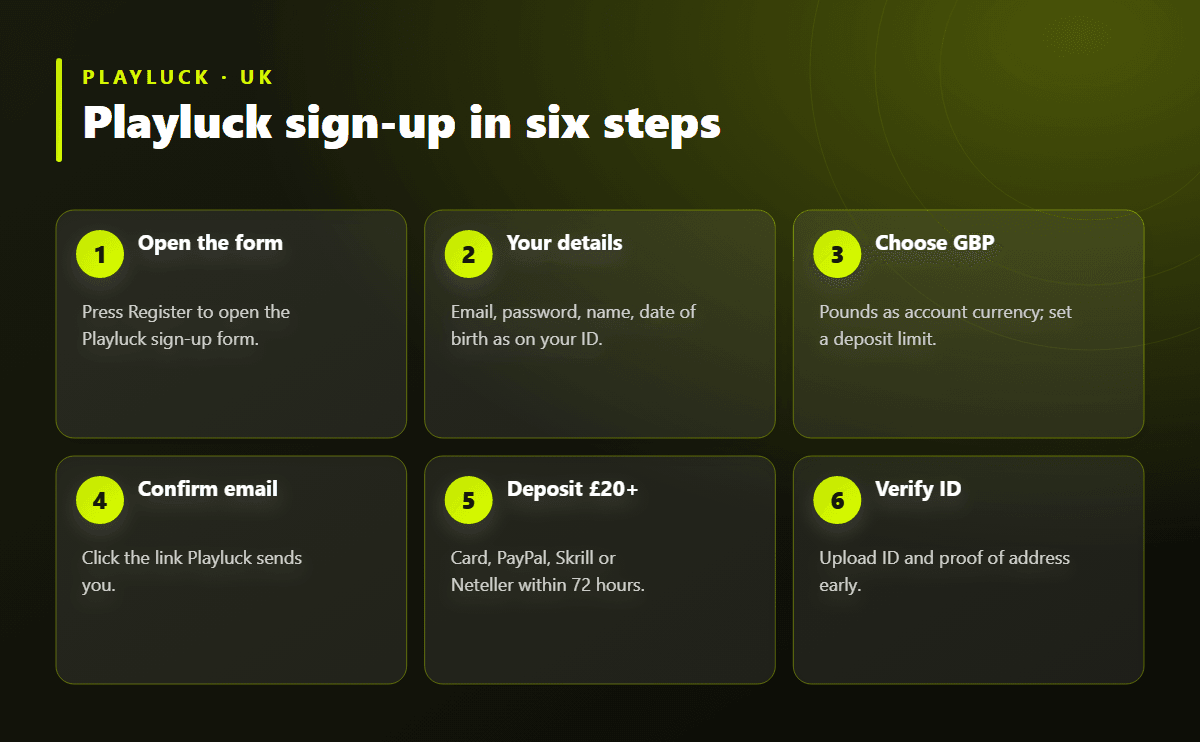
Registering at Playluck takes about three minutes: open the sign-up form, enter your email and a password, add your personal details as they appear on your ID, pick GBP and confirm your email address. After that you can deposit, claim the welcome package of 100% up to £1,100 + 100 Extra Spins and start playing. Verification documents can be uploaded the same day so your first withdrawal isn't held up.
Before You Start: What You Need
Having these ready means you can finish the form in one go and pass the checks without back-and-forth.
-
An email address you check regularly — it becomes your login.
-
Your full name, date of birth and home address exactly as on your passport or driving licence.
-
A UK mobile number.
-
A debit card, e-wallet or bank account in your own name for deposits.
-
A photo of your ID and a recent bill or bank statement for verification.
You must be 18 or over and resident in a country Playluck accepts. Only one account per person, household and device is allowed.
Playluck Sign-Up Step by Step
-
Open the form. Press Register on this page; the Playluck sign-up window opens in a new tab.
-
Account details. Enter your email address and create a strong password.
-
Personal details. First and last name, date of birth and gender, matching your ID.
-
Address and phone. Postcode, street address, town and mobile number.
-
Currency and limits. Choose GBP — it can't be changed later — and set a deposit limit if you'd like one.
-
Terms and marketing. Accept the terms and privacy policy; choose whether to receive offers by email or SMS.
-
Confirm your email. Click the link in the message Playluck sends you, and the account is active.
Verifying Your Playluck Account
UK rules require every casino to confirm who you are. Playluck runs an automatic age and identity check when you register and may ask for documents straight away or before your first withdrawal. Uploading them early is the single best way to get paid quickly.
|
Document |
Accepted examples |
Tips |
|---|---|---|
|
Proof of identity |
Passport, driving licence, national ID card |
All four corners visible, not expired |
|
Proof of address |
Utility bill, bank or council tax statement |
Dated within the last three months, name and address readable |
|
Proof of payment |
Photo of the card (middle digits covered) or e-wallet screenshot |
Name on the method must match the account |
Documents are uploaded from the account area. Review usually takes from a few hours to a couple of days; you'll get an email when it's done. If something is rejected, the message says why — most often a blurred photo or a cut-off edge — so you can resend the right file.
First Deposit and the Welcome Package
With the account confirmed, open the Cashier and deposit £20 or more to unlock the first part of the welcome package. The bonus and Extra Spins are credited automatically; you have 72 hours from registration to claim the package, and the Extra Spins must be used within 24 hours of landing. Trustly and MuchBetter deposits don't qualify, so pick a card, PayPal, Skrill or Neteller for the bonus deposit. The full terms are on the Playluck bonus page, and the optional code is explained on the promo code page.
Registration Problems and Quick Fixes
|
Problem |
Fix |
|---|---|
|
"Email already registered" |
You may have an old account: use Forgot password on the login page instead of signing up again |
|
Confirmation email missing |
Check spam, then request a new link from the sign-up screen |
|
Age or identity check failed |
Make sure name, date of birth and postcode match your ID exactly, then contact support |
|
Postcode not found |
Enter the address manually with the postcode in capitals |
|
Can't choose GBP |
Check the country selected at the top of the form |
Tips for a Smooth Start
-
Write your details once, carefully: a mismatch with your ID is the most common reason for delayed withdrawals.
-
Set a deposit limit at sign-up — lowering it later is instant, raising it takes a cooling-off period.
-
Turn on email offers if you want to hear about Free Play Sunday and reloads; you can switch them off at any time.
-
Try a few slots in demo mode before your first deposit to see which ones you enjoy; our slots guide has suggestions.
-
Bookmark the casino or add it to your phone's home screen so you can find it quickly next time.
Already Registered?
If you opened an account before, don't create a second one — duplicate accounts are closed and bonuses removed. Head to the Playluck login page and reset your password if needed.
What Happens After You Register
Straight after confirming your email you're logged in and can browse every game. The welcome package waits for your first qualifying deposit, Free Play Sunday starts once you've deposited, and you join the loyalty programme at Bronze automatically. Your next stop is usually the bonus page to plan your first deposits within the 72-hour window.